Recover an Oracle 11g dump, including BLOB images
Four tables out as CSV. The coffee mug comes out as a JPEG.
In the deleted-rows article, the coffee mug was just a name in a table. This time I gave it a photo, stored that photo in a BLOB, and put the whole desk kit into an Oracle 11g Data Pump dump.
I wanted the rows as CSV and the pictures as ordinary files, without importing the dump into another Oracle database.
1. Four tables from 11g.
I created a small schema, BLOG_DESK11, on Oracle 11.2.0.4 and exported its four tables with expdp. The dump was made for this test on an actual 11g instance.
| Table | Rows | What is in it |
|---|---|---|
DESK_KIT | 15 | Item names, quantities, prices, dates and Unicode labels |
ITEM_NOTES | 3 | CLOB and NCLOB text, a line break, quotes and NULLs |
ITEM_PHOTOS | 2 | Two small desk-item images, each stored as a JPEG BLOB |
TYPE_SAMPLES | 3 | CHAR, NUMBER, binary floats, RAW, timestamps, a time-zone offset and both interval types |
The dump uses metadata-only compression. Extraction runs on a separate machine, reading the copied .dmp file. It does not connect to the source database.
2. Let the wizard do the export.
I start ./reclaimdb dmp-extract --wizard, open the dump and choose Pick by schema → BLOG_DESK11. Then CSV, a comma delimiter, RFC 4180 and a header row. At the destination step I keep side-files for LOBs larger than 4 KiB. That keeps the pictures out of the CSV cells.
Press play to replay the real inputs and output. Playback runs at 0.7× speed; long idle waits are shortened. On a narrow screen, scroll the terminal sideways.
The review screen shows all four tables and the equivalent command before I start. The run exports 15 + 3 + 2 + 3 rows.
3. Open the BLOBs as ordinary files.
The photo CSV contains file references:
ID,ITEM_ID,FILE_NAME,MIME_TYPE,PHOTO
1,6,desk-items.jpg,image/jpeg,ITEM_PHOTOS/0_PHOTO.jpg
2,1,notebook.jpg,image/jpeg,ITEM_PHOTOS/1_PHOTO.jpg
Those paths are relative to recovered/lobs/. So the first image is recovered/lobs/ITEM_PHOTOS/0_PHOTO.jpg. No hex conversion or Oracle tool needed: it is a JPEG you can open.
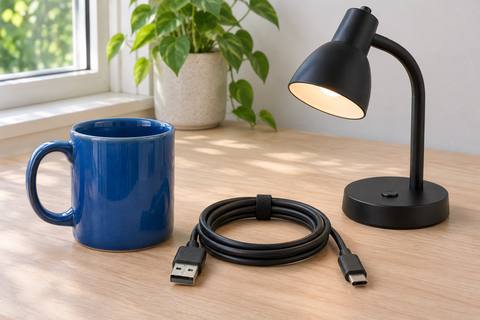

Click either image to open the JPEG recovered from the BLOB. I used generated test pictures, reduced to 480 × 320 pixels before loading them into Oracle.
Wizard worklog — inputs and terminal output
Blue marks what I entered; ↵ means Enter. These inputs and the output below come from the recorded run.
$ ./reclaimdb dmp-extract --wizard

Begin                       ↵ Enter
Dump file                   source/desk-kit-11g.dmp
List all four tables        v
Continue                    ↵ Enter
Select by schema            s
Schema name                 BLOG_DESK11
CSV format                  9
Comma delimiter             ↵ Enter
RFC 4180 dialect            r
Include header row          ↵ Enter
Output directory            recovered
Write files, not stdout     ↵ Enter
LOB side-files              s
If files exist: error       ↵ Enter
Keep advanced defaults      ↵ Enter
Start export after review   ↵ Enter
Save settings ↵ Enter$ ./reclaimdb dmp-extract --wizard
reclaimDB dmp-extract wizard v5.0.0-alpha5
--------------------------------------------------------------------------------------------------------------------
Extract Oracle Data Pump files to CSV, JSON, Parquet and more.
Detected: TTY on Colour off Unicode off Width 120 Locale C.UTF-8
Question: Press Enter to begin.
source/desk-kit-11g.dmp
Step 1 of 9 — Input file
--------------------------------------------------------------------------------------------------------------------
No .dmp files in the current directory.
Question: Path to a .dmp file or directory:
Reading header...
DMP XML enrich scan 0.2 / 0.2 MB 0.0 MB/s ETA --:-- rows=0
DMP table-def scan 0.2 / 0.2 MB 30.2 MB/s ETA 00:00 rows=4
+ 11.02.00.00.00, unknown platform, unknown charset (4096-byte blocks)
Detecting features... + metadata-only compression (row data plaintext), not encrypted
Scanning tables... + 4 tables · 244.0 KB
Step 3 of 9 — What's in the file
--------------------------------------------------------------------------------------------------------------------
Source: source/desk-kit-11g.dmp
Oracle: 11.02.00.00.00 (charset unknown)
Schemas: BLOG_DESK11 4 tables total
Largest-by-columns:
BLOG_DESK11.TYPE_SAMPLES 12 cols · 1 parts
BLOG_DESK11.DESK_KIT 6 cols · 1 parts
BLOG_DESK11.ITEM_PHOTOS 5 cols · 1 parts
BLOG_DESK11.ITEM_NOTES 4 cols · 1 parts
[Enter] continue [v] list all [b] back
v
All tables (4):
BLOG_DESK11.ITEM_PHOTOS (5 cols, 1 parts)
BLOG_DESK11.ITEM_NOTES (4 cols, 1 parts)
BLOG_DESK11.DESK_KIT (6 cols, 1 parts)
BLOG_DESK11.TYPE_SAMPLES (12 cols, 1 parts)
[Enter] continue
Step 4 of 9 — Which tables
--------------------------------------------------------------------------------------------------------------------
Choice: [a] All tables (recommended for a full extract)
Choice: [s] Pick by schema
Choice: [t] Pick by table (fuzzy finder; or: `t HR.ORDERS HR.X` inline)
Choice: [x] All except prefix
Choice: [i] List tables (don't extract)
> s
Schema name:
BLOG_DESK11
Step 5 of 9 — Output format
--------------------------------------------------------------------------------------------------------------------
Grouped by intended use. Recommended for your data: *
Analytics (columnar, for data lakes and BI):
[1] Parquet widely supported, 3–10x smaller than CSV
[2] Apache Arrow IPC (DuckDB, Pandas, Polars)
[3] Apache ORC Apache ORC (Hive, Presto)
[4] Delta Lake Parquet + _delta_log/
[5] Apache Iceberg Parquet + metadata/
Databases (load into another DB):
[6] PostgreSQL PostgreSQL binary COPY + DDL
[7] SQL portable INSERTs, dialect-aware
[8] SQLite one .sqlite per table
[l] SQL*Loader Oracle reimport via sqlldr (.dat + .ctl)
Interchange (human-friendly):
[9] * CSV default delimiter: comma
[0] JSON array per table
[.] NDJSON JSON Lines
[x] XML element per row
[e] Excel / XLSX Excel .xlsx
[v] Apache Avro Object Container (Kafka, Hadoop)
> [Enter] accepts recommended (CSV)
9
Step 5b — CSV options
--------------------------------------------------------------------------------------------------------------------
Delimiter [Enter]=, [t]=tab [|]=pipe [c]=custom:
CSV dialect [r]=rfc4180 [e]=excel-de [Enter]=rfc4180 (recommended for ','): r
Header row? [Enter]=yes [n]=no:
Step 6 of 9 — Where to write
--------------------------------------------------------------------------------------------------------------------
Output directory (Enter keeps default):
default: /home/mfg82/.local/share/reclaimDB/2026-11-10-extract
path> recovered
[s] Write to stdout instead? [Enter]=no:
LOBs >4 KiB [Enter]=side-files [i]=inline-hex [t]=truncate: s
If files exist: [Enter]=error [w]=overwrite [s]=skip [a]=append:
Step 7 of 9 — Advanced (skippable)
--------------------------------------------------------------------------------------------------------------------
[Enter] skip (keep defaults) [A] open advanced options
Step 8 of 9 — Review
--------------------------------------------------------------------------------------------------------------------
Input: source/desk-kit-11g.dmp
Source: 11.02.00.00.00 (charset?)
Tables: 4 detected in scan
Mode: pick by schema (BLOG_DESK11)
Format: CSV (delim=',', rfc4180)
Output: recovered
Estimate: input 0.2 MB · approx 1 s at 100 MB/s
Equivalent command:
dmp-extract \
--csv recovered \
--schema BLOG_DESK11 \
--csv-dialect rfc4180 \
--csv-delimiter ',' \
--lob-dir recovered/lobs \
source/desk-kit-11g.dmp
Project file will be saved to: ./extract-2026-11-10T18-17-20Z.json
[Enter] start [e] edit a step [D] dry run [s] save and exit [b] back
(Ctrl+E dumps equivalent CLI, Ctrl+S saves now, Ctrl+V verbose)
> Progress:
Extracting...
--------------------------------------------------------------------------------------------------------------------
╭────┬╌╌╌╮ _ _ ____ ____
│████│╌╌╌┊ _ __ ___ ___ | | __ _ (_) _ __ ___ | _ \ | __ )
│████│ ┊ | '__| / _ \ / __|| | / _` || || '_ ` _ \ | | | || _ \
│████│╌╌╌┊ | | | __/| (__ | || (_| || || | | | | || |_| || |_) |
╰────┴╌╌╌╯ |_| \___| \___||_| \__,_||_||_| |_| |_||____/ |____/
recover · v4.19.0-rc1
Oracle Data Pump Extractor · v4.19.0-rc1
Memory governor: MemAvailable=33.7 GB, effective_total=43.7 GB, reserve=4.4 GB, budget=29.3 GB, DMP input=244.0 KB, largest piece=244.0 KB
DMP XML enrich scan 0.2 / 0.2 MB 0.0 MB/s ETA --:-- rows=0
DMP table-def scan 0.2 / 0.2 MB 24.5 MB/s ETA 00:00 rows=1
Source: source/desk-kit-11g.dmp
Size: 244.0 KB
Version: 3.1
Platform:
Oracle: 11.02.00.00.00
Charset: (unknown)
Block: 4096 bytes
Created: 2026-11-10 19:14:30
Compression: METADATA_ONLY — metadata is compressed, row data is plaintext; extracting directly
Metadata: 16.7 KB decompressed from 1 BASIC unit(s) for composite types
DMP XML enrich scan 0.2 / 0.2 MB 0.0 MB/s ETA --:-- rows=0
DMP table-def scan 0.2 / 0.2 MB 24.2 MB/s ETA 00:00 rows=1
DMP table-def scan 0.1 / 0.1 MB 17.8 MB/s ETA 00:00 rows=4
DMP table-def scan 0.1 / 0.1 MB 11.6 MB/s ETA 00:00 rows=3
DMP table-def scan 0.1 / 0.1 MB 12.0 MB/s ETA 00:00 rows=2
DMP table-def scan 0.1 / 0.1 MB 12.4 MB/s ETA 00:00 rows=1
Selective read: 4 stream(s) resolved via master index (DUMP_POSITION); full scan skipped
DMP XML enrich scan 0.2 / 0.2 MB 0.0 MB/s ETA --:-- rows=0
DMP table-def scan 0.2 / 0.2 MB 23.6 MB/s ETA 00:00 rows=1
4 table(s) (filtered):
BLOG_DESK11.ITEM_PHOTOS 5 cols
BLOG_DESK11.ITEM_NOTES 4 cols
BLOG_DESK11.DESK_KIT 6 cols
BLOG_DESK11.TYPE_SAMPLES 12 cols
✓ BLOG_DESK11.ITEM_PHOTOS 2 rows
✓ BLOG_DESK11.ITEM_NOTES 3 rows
✓ BLOG_DESK11.DESK_KIT 15 rows
✓ BLOG_DESK11.TYPE_SAMPLES 3 rows
✓ 23 rows exported to recovered (0.0s, 72 MB/s)
Note: no Oracle DDL sidecar for BLOG_DESK11.DESK_KIT: the table's column list was not found.
Note: no Oracle DDL sidecar for BLOG_DESK11.TYPE_SAMPLES: the table's column list was not found.
DMP extract rows 0.2 / 0.2 MB 52.7 MB/s ETA 00:00 rows=23
Done
--------------------------------------------------------------------------------------------------------------------
+ Extraction complete.
Next steps:
· Inspect: ls -lh recovered
· Verify your restore: enable --audit on this workflow, then run
reclaimdb verify-manifest ./manifest-<run-id>.json
Save settings for replay? [Enter]=yes to ./extract-2026-11-10T18-17-20Z.json [n]=no:
Project screen log: ./logs/run-2026-11-10T18:16:03Z-1111804-284404700-0.log
Project saved: ./extract-2026-11-10T18-17-20Z.json
✓ Extraction complete
Source: source/desk-kit-11g.dmp
Format: CSV
Output: recovered
Inspect: ls -lh recovered
Verify your restore: enable --audit, then run reclaimdb verify-manifest ./manifest-<run-id>.jsonFor the broader workflow, see Oracle dump extraction, or request a reclaimDB evaluation.